frequently asked questions

First impressions count. Our Showpony hosts and hostesses ensure a warm welcome, flawless organisation and the right look and feel to match your brand or event.

What is Showpony?

Showpony B.V. has been happily providing its services to its clients since 2009.

Showpony is a People Agency for real, creative and outgoing people, with offices in Amsterdam, Eindhoven & Antwerp.

As a Showpony, you will work for the best-known brands and companies at events, brand activations, fashion shows, photo shoots, films and commercials.

We offer a platform for host(s)esses, models, dancers, acrobats and entertainers to search and hire jobs through the Showpony Community. Show ponies are used during festivals, presentations, club nights, fashion shows, photoshoots, commercials and other (corporate) events.


Showpony completely differentiates itself by ensuring a higher quality of workmanship through selection upon admission to the community and then with training and matching on qualifications of the flex workers. In addition, we strictly select what kind of work we offer to our community, whether it fits their profile and whether the perception of these jobs is positive making the motivation higher than a traditional side job. We do not believe that money is the only motivation, so we focus on the other things that score high when choosing to work. Showpony has its own niche of companies and flex workers.

If you work through our platform, you are a Showpony and work either as a self-employed person or as a flex worker. In flex work, you work for yourself and have the freedom to decide which jobs on our platform you respond to. So you only work when you want. Because you do Hosting,hospitality, modelling and entertainment jobs at different companies, it's super varied and you only do what suits you best.


As a temporary worker, you are stuck with a contract and work as an employee. Through our platform, you are not attached to anything and work as an independent entrepreneur.

Generally, it is nice if you already have some work experience before starting at Showpony. Based on your relevant experience, we will add features and qualifications to your profile. Based on these characteristics, you will or will not be shown certain jobs. For example, if you are a trained experienced dancer, you will see jobs where this experience is required and if you do not have these qualifications you will not see these jobs. This way, you don't get too much spam and we ensure the best match between you and the job. 


Don't have any work experience yet? No stress. Training courses are increasingly being offered through our platform. This automatically qualifies you for certain positions and qualifications.

Yes, you can. However, you may end up in a higher tax bracket. Income from work is taxed via tax box 1. The tax authorities add both gross incomes together. If your gross income increases, for example because you have become a flex worker, part of your income may be taxed in a higher tax bracket. See the article on rates and tax brackets of the Inland Revenue.

As a Flexworker, you are responsible for arranging work yourself. There are several jobs per week on our platform, so there is always something for you, you can see them in our app under OPEN JOBS. Are you available? Then click on the job you want and then ‘I WANT THIS SERVICE’. The client will choose the flexworker who best suits the job. If you are selected, you will receive a notification and a confirmation e-mail

Often, several flex workers respond to a job. The client decides who gets to pick up the job. Respond to several jobs on the same day*, to last-minute jobs and to jobs with few applications. This gives you the ‘best chance’ of getting a job. 

Yes, overlapping shifts automatically expire if you are chosen.

It's always smart to spread your chances and apply for multiple shifts. Get accepted for a shift, but have other applications open for the same date and time? No worries. Overlapping shifts will automatically expire if you are chosen.

Note: Is there more than 59 minutes between shifts? Then you can be hired for both shifts. This 59-minute rule does not apply to shifts for the same job and with the same client. So jobs at the same location can simply be consecutive, unless a client has disabled the option to do so.

Travel expenses are reimbursed for most jobs outside Amsterdam.

At the end of your worked job, you can immediately adjust your hours and upload travel expenses in the Showpony App. 
You are responsible for adjusting these hours yourself, should the times in the declaration not match the hours you worked, you have 24 hours to do so.

After checking your hours, you can add the expenses you have incurred to the claim. It is possible to add multiple files. This means that if you have incurred several expenses, you can add them all.

What you need to do to approve your claim is explained below, step by step;
- Adjust your working hours if they do not match
- Add the costs incurred by you

- Select the type of expenses; Travel expenses, parking expenses, dining expenses
- Indicate the amount of costs incurred by you
- Attach proof of the costs you have incurred

- Press save

The following applies to travel expenses, preparation time and travel hours;
- Regarding preparation time/travel hours, only when indicated in the call/briefing will these costs be reimbursed at a maximum of 50% of the hourly rate for the booking

- Expenses incurred include travel costs, parking costs and any food costs.
- We reimburse travel expenses incurred by car or public transport only when indicated in the call/briefing
- We will only accept travel expenses or food vouchers incurred by you when you are here
have a valid proof of it. Without a valid proof, we will not be able to refund the
not reimburse costs.

 - A travel allowance of €0.21 per km applies to travel by car
- If you have travelled by car, we will only accept a print screen of the journey from Google Maps, clearly showing the journey and the number of km

- If you have travelled by public transport, we only accept print screens of your public transport history or a photo of your train ticket which clearly shows the price

The above can be uploaded under ‘fees; file’ as a PDF, JPG or as a WORD file

You fill in at fees;

Type; Choose between travel expenses or food vouchers 

Description; Explain what kind of costs you incurred
File; Upload the relevant file here
Value; Enter the amount of travel/eating vouchers here.

With every job, you have the option to be paid within 3 or 5 working days for 2.9% of the invoice amount. Don't want this? Then wait until the client pays. 

When the client pays your invoice, you get paid automatically.

The payment of your invoices goes through the factoring company Finqle. The principal pays Finqle and Finqle then pays you. If you choose the option ‘wait for payment client’, you will be paid automatically by Finqle when the client has paid the invoice.

Within 3 or 5 working days of agreeing to your checkout.

The payment of your invoices goes through the independent factoring company Finqle. The client pays Finqle and Finqle then pays you. With direct payment, your money is transferred to you within 3 or 5 working days (after approval of your hours and expenses). Your app will tell you whether it is 3 or 5 working days.

Example: Your shift will be paid within 3 working days. Did you get an agreement on your hours on Monday? Depending on your bank, the money will then be in your account on Thursday or Friday.

Can't come to work and the cancellation deadline has passed? Then call us as soon as possible. Force majeure can always happen. We will be happy to work with you to find a solution.

As a flex worker, you are required to do turnover tax (also known as VAT return) and income tax. You do sales tax four times a year and income tax once a year. It is less scary than it seems, but if in doubt, you can always hire an accountant.


Turnover tax (VAT declaration)
On every hour you work, you will receive 21% VAT on top of your hourly rate. This is paid to you by the client. The hourly rates on our platform do not include VAT. Every quarter, as an entrepreneur, you pay your received VAT to the tax authorities when doing your sales tax. If you use the KOR scheme, your VAT percentage is 0%


Income tax
As a Flexworker, you pay tax on your income, just like anyone else earning money in the Netherlands. This is called income tax.

Congratulations, you're in! From now on, you can officially call yourself a Showpony and be part of the community. First, you need to complete a few more steps before you can become a full member:


you will receive an onboarding email from FLEKS. Follow the steps here and enter all requested information, add at least 5 clear and presentable photos to your profile before you are eligible to accept jobs. You will also receive an onboarding mail from FINQLE, this company takes care of all payouts and is directly linked to your show pony FLEKS account. Here you fill in all your personal and possibly company details, upload your ID and all your payment information. You also sign a contract allowing you to use Reverse-billing: your invoice is made for you. Thanks to the collaboration with finqle, you can also opt for fast payment, within 3 days. Once you have gone through these onboardings, you will also be sent a login to the SHOWPONY HUB, the exclusive social platform for all show ponies. This is also linked to your fleks account so there is no need to fill in anything more here.


Download all Showpony apps via: Showpony.co.uk/login and log in here, and you can get started !

When do I get paid?

For each job, you have the option of being paid within 3 or 5 working days in exchange for 2.9% of the invoice amount. Don't want to pay this fee? Then wait until the client pays (see payment deadline below).


When will I be paid if I choose ‘wait for customer payment’?

Once the customer pays your invoice, you will be paid automatically.

Your invoices are paid through factoring company Finqle. The customer pays Finqle and Finqle then pays you. If you choose the ‘wait for customer payment’ option, you will be paid automatically by Finqle as soon as the customer pays the invoice.

Yes, this is possible. Just keep in mind that you may end up in a higher tax bracket. Income from work is taxed in box 1. The tax authorities add both gross incomes together. If your gross income increases, for example because you have become a flex worker, part of your income may fall into a higher tax bracket. See the article on rates and tax brackets from the Tax Office.

Travel expenses are reimbursed for most assignments outside Amsterdam.

After completing your assignment, you can adjust your hours and upload your travel expenses directly in the Showpony App.

You are responsible for adjusting these hours yourself. If the times in the declaration do not correspond to the hours you worked, you have 24 hours to adjust this.

After checking your hours, you can add the expenses incurred to your claim. You can upload several files. So if you have incurred different types of expenses, you can add them all.

Roadmap for approving your claim:

  • Adjust your hours worked if they are incorrect

  • Add the costs you incurred

  • Select the type of costs: travel costs, parking costs, food costs

  • Enter the amount of costs incurred

  • Attach proof of costs incurred

  • Click on save


For travel costs, preparation time and travel hours apply:

  • Preparation time and travel time will only be reimbursed up to a maximum of 50% of the booking hourly rate, and only if specified in the call/briefing

  • Expenses that may be reimbursed: travel expenses, parking costs and any food costs

  • Travel expenses by car or public transport will only be reimbursed if this is specified in the call/briefing

  • We only reimburse travel expenses or food vouchers if you can provide valid proof. Without valid proof, we cannot reimburse expenses

  • Travel expenses by car will be reimbursed at €0.21 per km

  • Did you travel by car? Then we will only accept a screenshot of the route in Google Maps, which clearly shows the trip and the number of kilometres

  • Have you travelled by public transport? Then we will only accept a screenshot of your public transport transaction statement or a photo of your train ticket which clearly shows the price

You can upload this proof under ‘fees; file’, as a PDF, JPG or Word file.


To be completed under ‘fees’:

  • Type: Choose between travel expenses or food stamps

  • Description: Describe what costs you incurred

  • File: Upload the corresponding file here

  • Value: Enter the amount of travel expenses or food vouchers here

Finqle automatically creates an invoice as soon as your service is approved. After you have completed the Finqle onboarding (takes about 5 minutes), you will have access to your Finqle account where you can view all invoices and contracts.

After each shift worked, you fill in your hours within 24 hours and submit any travel expenses or other claims. If you opt for direct payment, you can activate this via the slider in the app. Please note that for direct payment, 2.9% is deducted from the total invoice amount.

The client then approves your service. Once this is done, you will receive your payment. With direct payment, the money will be in your account within 24 hours (on working days). Please note that approvals can only take place on working days between 10:00 and 18:00 and therefore have processing time.


Clients have 14 or 30 days to pay the collective invoice, depending on the agreed payment term. You will find this term in your assignment agreement. Note: the payment term only starts once the client has received the invoice, not from the day you worked.

If you choose ‘immediate payout’, you will receive your money within 3 or 5 working days after your hours and any expenses have been approved. Your app indicates exactly whether it is 3 or 5 working days.

Invoicing and payment go through the independent factoring company Finqle. The client pays Finqle, and Finqle then pays you.

Example: Is your payment set for 3 working days and are your hours approved on Monday? Then - depending on your bank - the amount will be in your account on Thursday or Friday.

How do I download the Showpony app?

You can download the app at showpony.co.uk/login. Log in via this page and follow the steps to install the application on your phone.

Before you can use the Showpony Fleks app, you will receive a registration e-mail. This e-mail contains a link you can use to create your Showpony account. Please read the e-mail carefully and click on the link. Then you can set up your account and log into the app.

First, check whether the e-mail ended up in your spam folder. Is it not there either? Then send an e-mail to office@showpony.nl with your full first and last name. You will then be sent another registration e-mail.

You log in using the login details you created during the registration process. You can download the app via showpony.co.uk/login. Don't remember your login details? Then send an e-mail to office@showpony.nl for help.

Probably your keyboard is blocking the login button. Tap somewhere on the screen so that the keyboard disappears. The button will then become visible and you can log in.

You can easily change your email address in the app. In the menu, go to More, choose Profile, click on Email and enter your new e-mail address. Then confirm your change by clicking on Confirm click.

There are two ways to recover your password.

  1. Open the app and click on ‘Forgot your password? Click here.’ You will then receive an e-mail with a link to reset your password.

  2. You can also send an e-mail to office@showpony.nl with your full first and last name. The office manager will then send you a link to reset your password.

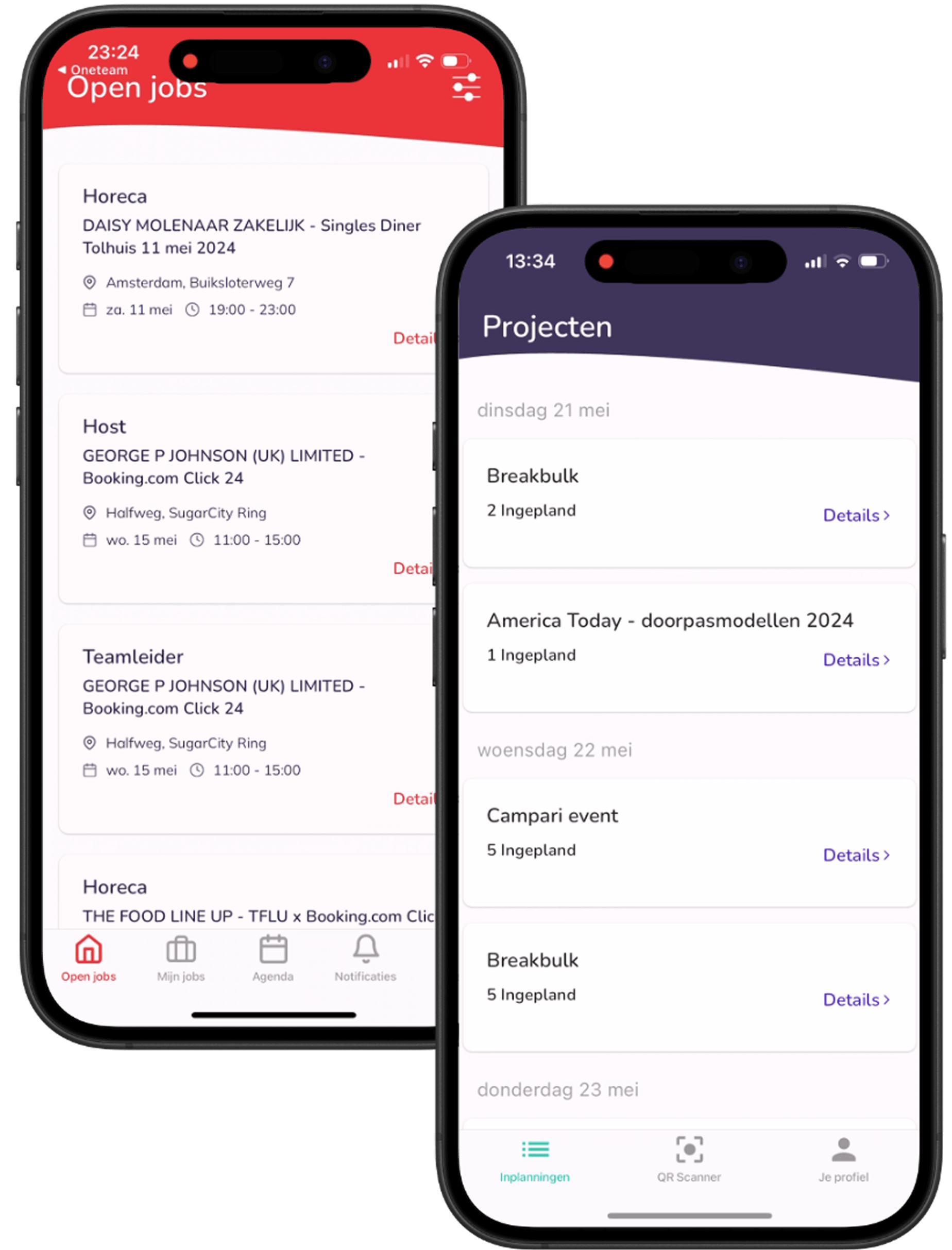
Open the Fleks app and in the menu at the bottom, go to Open jobs. Here you can see all available Shifts you can sign up for.

In the section My jobs in the menu you will find all the Shifts you have signed up for. You will also see the status of each Shift there, such as awaiting confirmation, approved or cancelled. Click a Shift to see all the details.

You can submit your availability via the calendar in the app. Click on Modify availability and select per day, or for several days at once, when you are available. You can specify whether you are available all day or only during specific time slots.

First enter your availability from the start time of the night shift until midnight. Then select the next day and enter your availability from midnight to the end time of the shift. This correctly records the entire night shift.

If no Shifts are visible under Open jobs, there may be no jobs available at the moment. It is also possible that the data in your profile are not set correctly. In that case, contact your planner and/or employer to have this checked. After editing your profile, do not forget to close with Confirm change.

If you have signed up for a Shift that has not yet been accepted by your client, you can cancel it yourself via My jobs. Has the Shift already been accepted and you still want to cancel? Please contact the project manager directly.

The colours indicate the status of your Shift:

  • Green: your registration has been approved. You can now start the workflow.

  • Yellow: your registration awaits confirmation from the client.

  • Red: your workflow is not yet complete. Proceed to the next step.

  • Grey: the Shift is cancelled.

You can find all your completed Shifts in the menu under More and then Work history. There you will find all Shifts that have been fully completed. Have you not yet completed the workflow of a Shift? Then it remains visible under My jobs.

If a Shift is cancelled or assigned to another candidate, you will receive an e-mail notification about it.

What is the timeline in the Showpony Hub app?

The timeline is the first screen you see when you open the Showpony Hub app. Here you will find an overview of all messages intended for you. Think of information about your job group, your location (community) and messages from your organisation's management.

Posts on your timeline can be marked as important. You recognise these by the yellow asterisk. They always stay at the top until you click ‘mark as read’ clicks.

Under Files you will find all shared files posted in timeline messages.

You can select different groups via the top left button. You will find community groups, these are subgroups within your location based on job group. Below them are the organisational groups, intended for everyone within the organisation and often filled with general information. When you select a group, you will only see the posts shared within that specific group.

The chat function lets you easily send private messages to colleagues and start group chats. Click on ‘+ Start chat’ or on the icon at the top right to start a conversation. You can share files, GIFs, videos and images in the chat, as well as delete messages. The three vertical dots at the top right let you view the profile, turn off notifications or delete a chat. Use the Showpony Hub chat as much as possible for communication with colleagues, rather than WhatsApp, for example.

The Academy is the digital learning environment within Oneteam. It consists of two parts: Onboarding, with modules for new employees, and E-Learnings, short training courses that you attend when you are already working within the organisation.

Under More you will find a comprehensive overview of additional features within the Showpony Hub. Here you will find, among other things Apps & Shortcuts (including All Jobs, Pony Points and the Showpony.Shop), an overview of colleagues and birthdays, shared documents, events, forms such as declarations or incident reports, surveys, and settings for privacy, notifications and language. Through the Help Center you can get support from Oneteam, and find administrators under User management access applications for the organisation.

Can't log in? If so, this could be due to several reasons. First click on ‘Forgot password’. You will then receive an e-mail with a temporary password with which you can log in. You can change this temporary password immediately after logging in. Didn't receive an e-mail? Check your spam folder.

Still no e-mail? Then send a message to office@showpony.nl. They will check if your e-mail address is correctly in the system. If it is not, they will update it and you will receive a new invitation.

Message: ‘You are not a member of the community’
This means you are not linked to a community (branch/location) (yet). Please contact office@showpony.nl to get you added again.

First check if the invitation e-mail is in your spam folder. Can't find the e-mail there either? Then send a message to office@showpony.nl to make sure your e-mail address is correct in the system. In doing so, ask immediately if the invitation can be resent.

You need an invitation from Showpony to use the Oneteam app. First, you will be added to FLEKS, after which you will automatically receive an invitation to download the Showpony Hub app. The systems synchronise daily, so you may not receive the invitation until the next day. In addition, you can also download the Showpony Hub app via showpony.co.uk/login.

When downloading the app, do you get the message that it is not available in your country or region? Then unfortunately Oneteam cannot solve this. Are you using an iPhone? Then follow the steps in the corresponding Apple article to download the app anyway.

By default, you receive notifications for important organisational messages, for messages you have replied to and for chat messages specifically addressed to you. Want to turn off chat notifications? In the chat, click on the three dots at the top right and choose ‘Turn off notification’.

You can change your password via the app. At the bottom right, go to More, then to My account, scroll down and click on Change password. Make sure your new password meets the password requirements. While entering, you will immediately see whether your new password meets these requirements.

You can enter your date of birth and decide who can see it. Go to More bottom right, choose My account and click on Date of birth. Next, set your date of birth via the calendar icon and select who can see your date of birth.

In your profile settings under General you can control who can see your date of birth and phone number. Under Privacy settings you set who can view your last online status (everyone, no one or only your community). In addition, you can specify who can send you instant messages, e.g. only people within your own community. Administrators can send instant messages to anyone at any time.

A change in your e-mail address should always be communicated to your manager. We cannot change it ourselves. Send your manager a chat message asking to change your e-mail address. Once this has been changed, you can log in with your new e-mail address.

You cannot delete your account yourself. Please send an e-mail to office@showpony.nl and ask for your account to be deleted. Your manager will then take this further and ensure your account is deleted.

What are Pony Points?

Pony Points are Showpony's digital currency. You cannot buy them, but only earn them by working or participating in activities within Showpony. With these points, you save for all kinds of fun benefits, products and experiences.

You earn Pony Points in several ways. For every hour worked at Showpony, you get 1 Pony Point. In addition, you will receive extra points when you complete your 1st, 3rd, 10th, 30th and 50th service for Showpony completes.
You can also earn points through referrals: invite your friends to work at Showpony and receive 175 points per successful application.

Retrieved from special days such as your birthday, work anniversary and public holidays, you will automatically get extra points.
Are you attending a training course in the Show pony Academy, then you will receive points for that too.

Finally, you can earn points by Show pony content to share on social media.

You can use your hard-earned Pony Points in several ways. In the Showpony.shop get great discounts on streetwear, swimwear and accessories when you pay with Pony Points. In addition, you can use them for Show pony condoms, events such as the Showpony office event or an in-house SP night at Jimmy Woo, and Show pony.Sport for discounts on sporting goods or free lessons. Via partner deals receive benefits at restaurants, bars, online shops and sports clubs. You can also take part in brand giveaways and get free products from brands Showpony has partnered with. Finally, you can use your points attend inspiring seminars through the Showpony Academy. And... Showpony.vodka coming soon!

The more Pony Points you earn, the higher your level becomes. The levels are structured as follows:

  • One Trick Pony: 0-500 Pony Points

  • Lil’ Pony: 500-1000 Pony Points

  • Super Show pony: 1000-2000 Pony Points

  • Show pony Ambassador: 2000-3000 Pony Points

  • Unicorn Status: 3000-4000 Pony Points


With each new level you reach, you unlock extra perks, exclusive merchandise and bigger rewards.

Want to get started? Open the Showpony App, click on Loyalty and find out what deals you can score and what you will spend your first Pony Points on.

Will the Inland Revenue enforce based on new legislation in 2025?

No. The enforcement moratorium does expire in 2025, but the law the Inland Revenue is enforcing is nothing new. This law has been in place since 2016 and has since been unchanged. So the rules remain exactly the same, only the temporary pause in enforcement disappears.

No. That is a fable. The law states no requirements to the minimum number of clients, nor does it prohibit you from more than 70% of your time working for one client. So you can work for one client for a long period of time, like Showpony, without any problems.

The so-called 70% line comes from the old VAR period and is sometimes still used in certain model agreements, but is no legal obligation.


Note that if you work for one client for a very long time with no clear start and end of the assignment, it can more quickly look like employment. But working only at Showpony is in itself no problem and certainly does not automatically make you not a self-employed person.

No. Failure to meet the entrepreneurial criteria means not automatically That you are employed. The criteria under the Income Tax Act 2001 only determine whether you are considered for tax purposes as entrepreneur. Think about making a profit, independence, being at risk, having multiple clients and how you present yourself to the outside world.

If you do not meet those criteria, your income may be classified as ‘income from other activities’. This is different from employment. So there is not automatic employment if you do not meet the entrepreneurial criteria.

No. In cases of false self-employment, you do not automatically have to pay back years of wage tax and social security contributions. The state secretary has indicated that there is a transitional period of one year applies. In that year, both workers and employers will get no offence penalty, as long as they can show that they are taking steps to prevent bogus self-employment.

In addition, the Inland Revenue will smoothly to with any subsequent levies. These will be imposed retroactively up to a maximum of 1 January 2025, and so not over the usual five years.

Yes. The way of working at Showpony fits completely within what is legally allowed for self-employed people. Showponies always decide when and where they work. This is something that is not possible within an employment relationship. There are no minimum hours and there are no consequences to signing on or off for jobs.


Most Show ponies work occasionally, about eight days a year on average. That occasional and flexible nature does not suit employment.


Showpony operates as a platform and runs payments through an independent third party. This is not part of salaried structures. In addition, Showpony carries out assignments for a large and diverse group of clients, in thousands of locations. Often the assignments are at temporary or changing locations such as event venues. That too does not fit within an employment arrangement.


Based on all these features, we are confident that all jobs offered by Showpony are fully Wet DBA proof.